Storeify Review
Reviewed on
Our rating: 
Storeify Store Locator & Maps (called "S: Store Locator" in its own guide) is a Shopify app from Storeify, a developer in Ho Chi Minh City that also publishes contact form, quote request and booking apps. It launched in May 2021, carries Shopify's "Built for Shopify" badge and is rated 4.9 from 207 reviews.
For a low-cost app it has a long feature list: 8 layouts, store detail pages, product search, a dealer registration form and Google Sheets sync. It only works on Shopify, and it needs you to set up your own Google Maps billing.
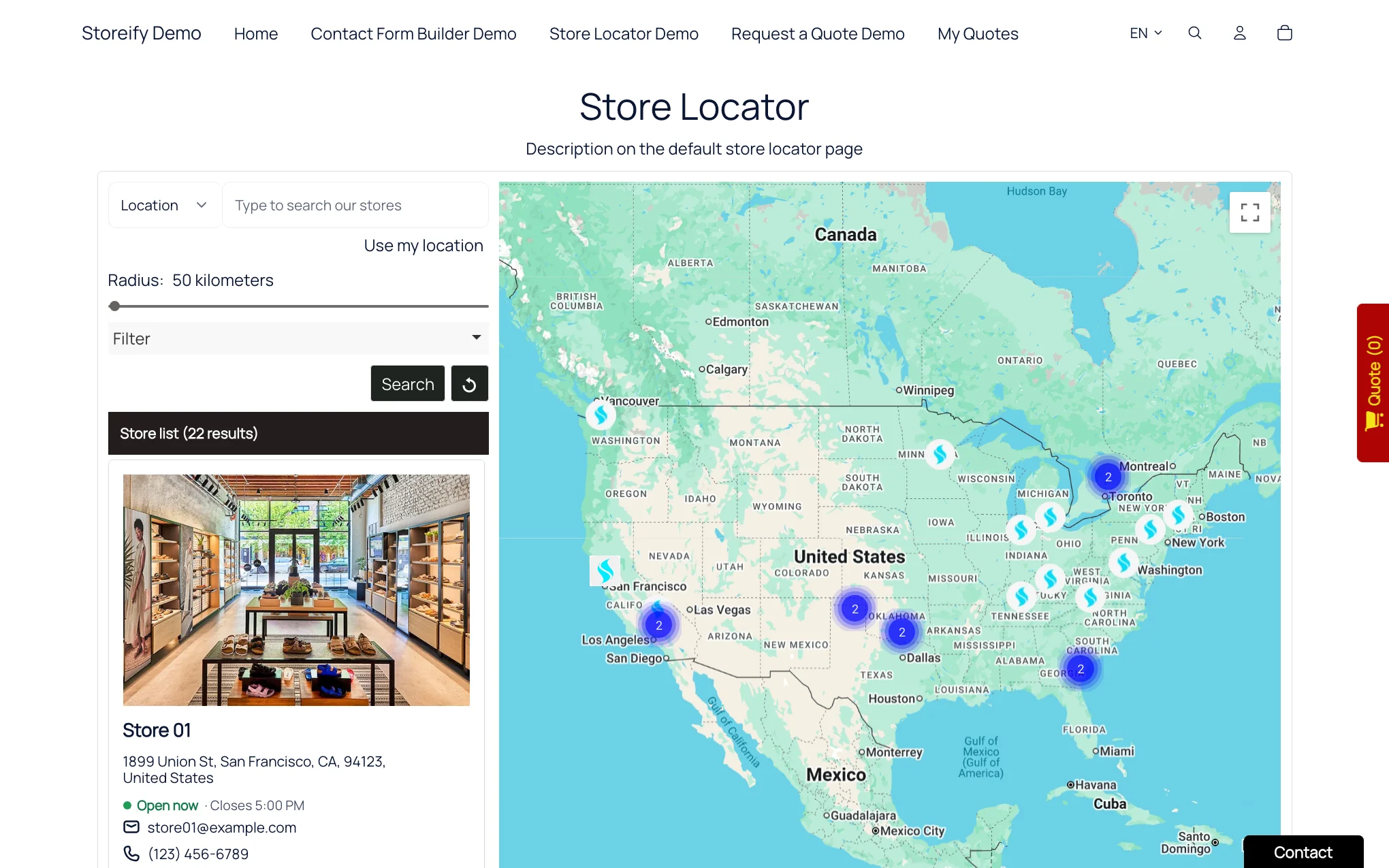
Storeify's default locator layout on its demo store Source: storeify-demo.myshopify.com
Storeify uses Google Maps and nothing else. You have to create your own Google Maps API key, switch on three Google services (Maps JavaScript, Geocoding and Places) and attach a billing account to your Google Cloud project. Google bills any usage beyond its free allowance to you. Storeify's guide has detailed, recently updated instructions and a "Check API key" button, but this setup is the part reviewers most often find confusing.
Once that's done, the mapping features are complete: automatic geocoding from addresses, marker clustering, a "Use my location" button, address autocomplete, directions that open in Google Maps and Street View on store pages. There are 6 map colour styles.
Interface text is translated in the app's settings, either by hand or with an AI "Auto Translate" button. Store details such as names, addresses and descriptions can be AI-translated too, with a step to review and approve the results. The number of extra languages depends on the plan, from 1 on Startup to 5 on Advanced.
The guide is inconsistent about which plan multi-language starts on, so confirm that before you subscribe. It also notes that the store name and store link in the location list don't switch language automatically.
Visitors can search in three ways: by location, by product name or by store name. Results can be narrowed with tag checkboxes, a country dropdown and a radius slider in miles or kilometres.
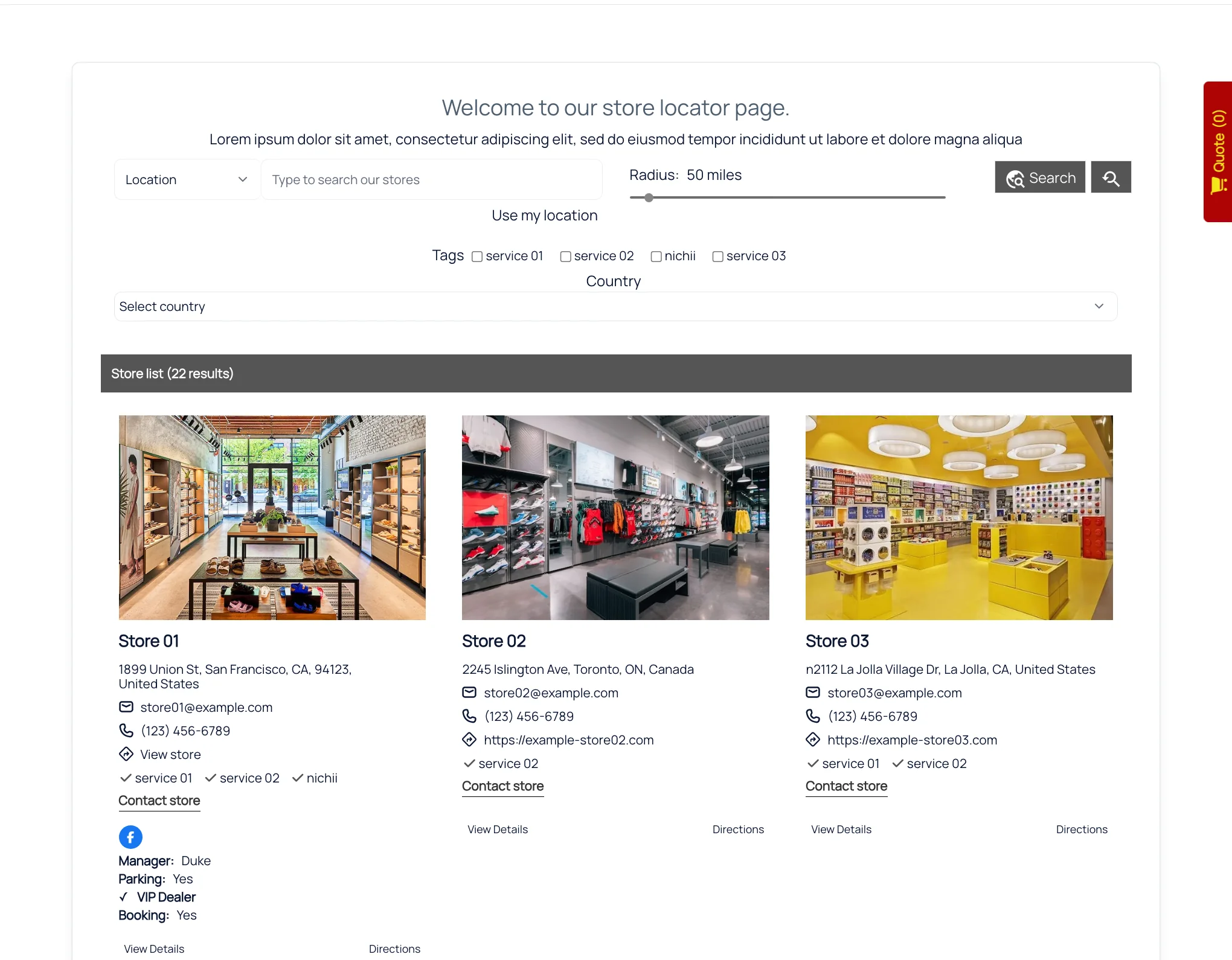
A grid layout with tag filters, radius slider and store cards Source: storeify-demo.myshopify.com
Product search relies on products you attach to each store by hand; it isn't connected to Shopify inventory. Each store can show up to 10 custom fields, though you can't filter by them.
Analytics are basic. The app shows statistics on recent searches and a search heat map, and you can export search data to Excel. There's no documented reporting on clicks, directions requests or individual stores. A separate activity log records changes and lets you restore deleted locations for 30 days.
Paid plans can import locations from a file based on Storeify's sample, with an option to overwrite duplicates, and export to CSV or Excel. Including latitude and longitude is recommended; without them, addresses are geocoded in the background, which is slow. The free plan has no import or export.
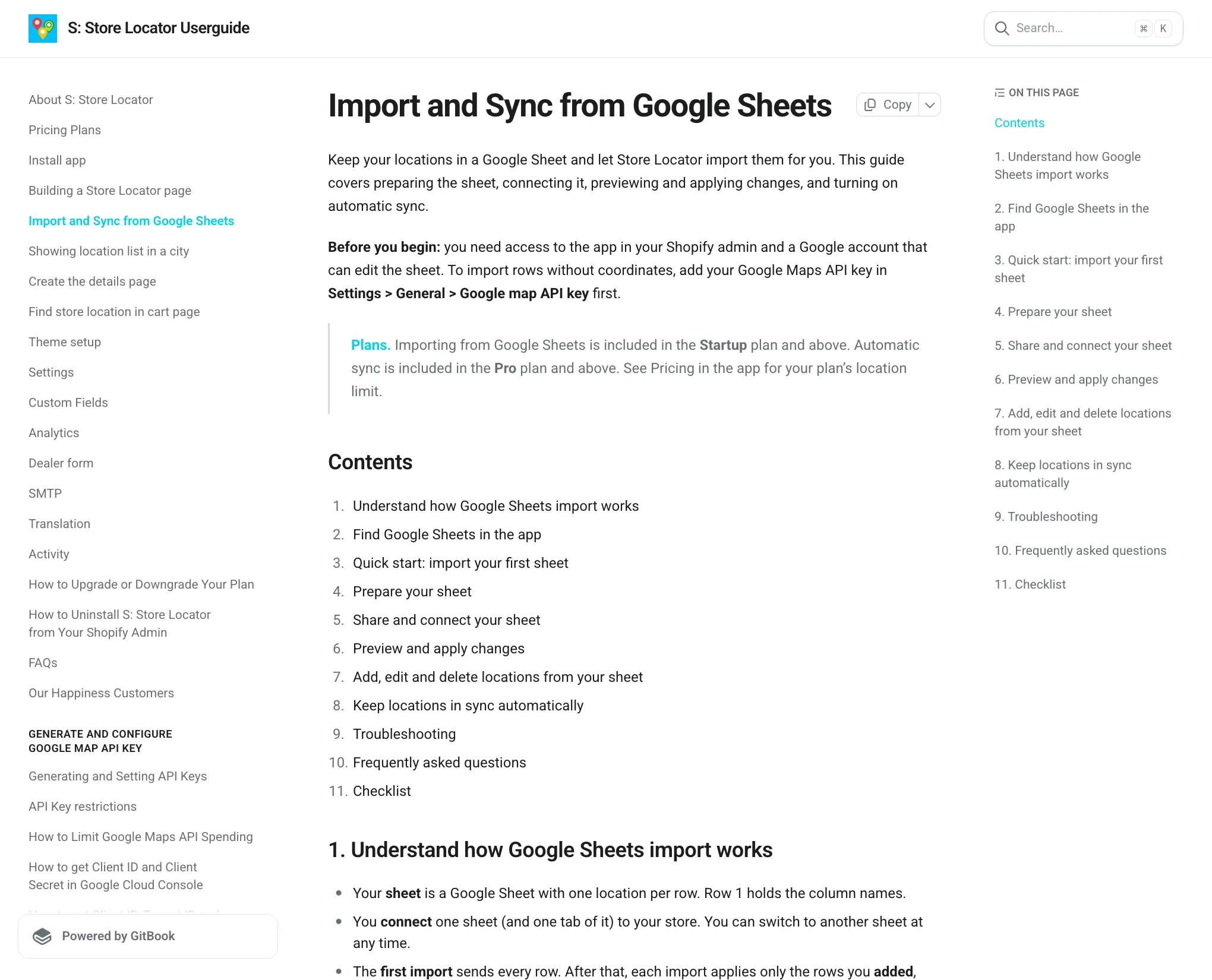
Storeify's guide to importing and syncing from Google Sheets Source: sl-guide.storeify.app
Google Sheets is well handled. Manual import from a sheet starts on the Startup plan and automatic sync on Pro. Changes are applied about 3 minutes after your last edit, only changed rows are processed, and there are sensible safeguards: deleted rows become drafts, and mass deletions are blocked if more than half the rows vanish at once. A sheet can hold up to 20,000 rows.
There's no import from Shopify Locations or Shopify POS.
There are 8 locator layouts, each with a live demo, plus custom CSS, colour settings and custom marker icons, either one for all stores or one per store. A sticky icon can open the locator as a popup from any page.
Store detail pages come in 2 layouts and can show a description, opening hours, products, nearby stores and a contact form. The app installs through a theme app embed and app block, so it works with current Shopify themes. Note that the app embed needs to be re-enabled if you change theme.
Support is by chat widget and email. Storeify advertises 24/7 support, though no hours are published. The reviews are full of praise for fast, hands-on help, often from the same named agent, and for features being added on request. A small number of reviewers report the opposite experience, particularly around outages after updates.
The guide runs to about 25 pages. The Google Sheets, custom fields and API key pages are detailed and current; others, such as Analytics, are a single paragraph.
There's no public API, webhooks or JavaScript SDK. Customization is limited to shortcodes and CSS. Running several separate maps isn't a standard feature; Storeify's FAQ says it's done as paid custom work.
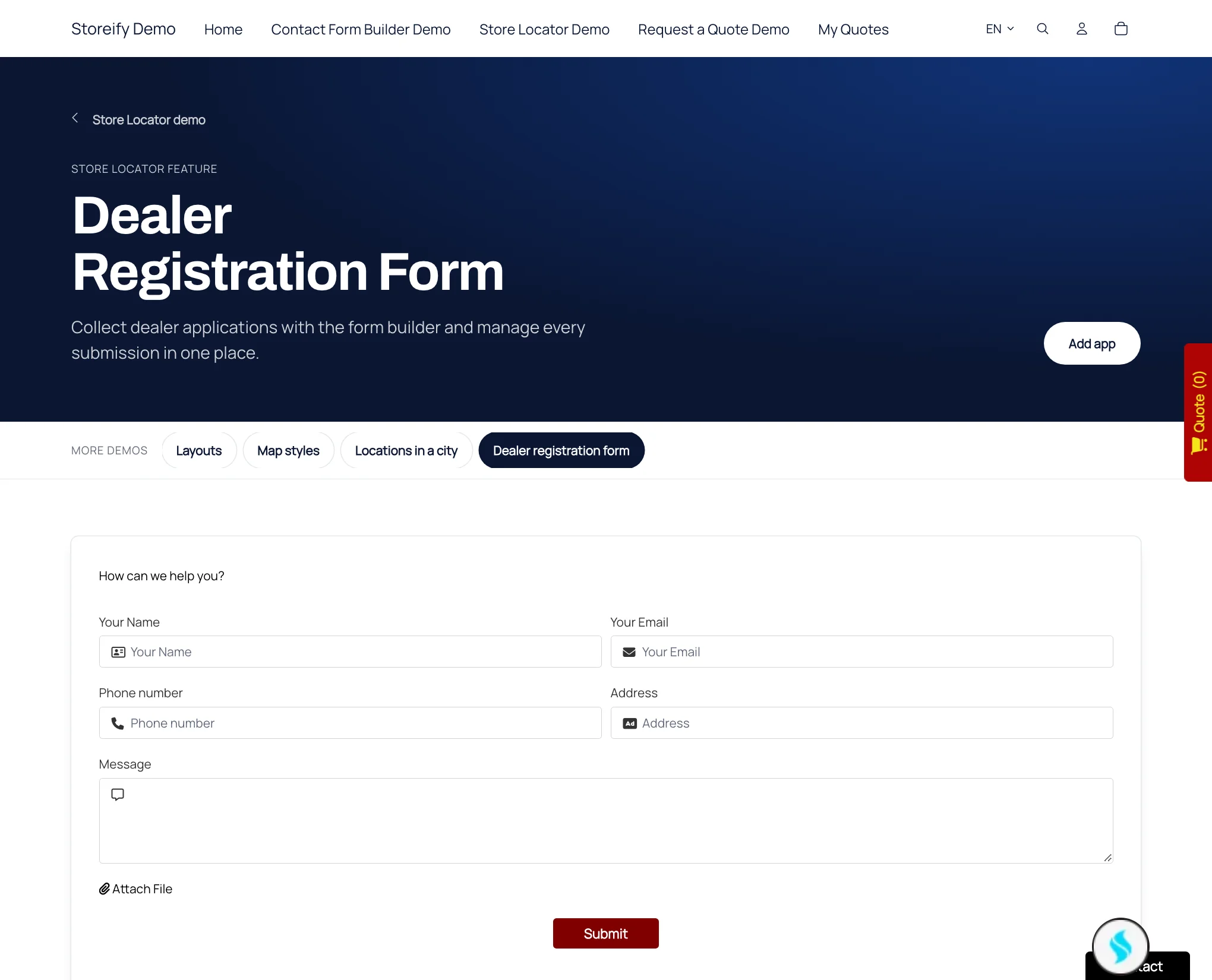
The dealer registration form on Storeify's demo store Source: storeify-demo.myshopify.com
- Dealer registration form - a form builder for retailers applying to stock your products, with a button that turns an approved submission into a location.
- Email integrations - Mailchimp, Klaviyo, Omnisend, HubSpot, ActiveCampaign and others.
- SEO features - store pages with LocalBusiness structured data, meta titles and descriptions, and city list pages.
- Cart page store picker - customers choose a store at the cart, and its address is added to the order notes. This isn't a full pickup system.
| Plan | Monthly | Locations | Adds |
|---|---|---|---|
| Free | $0 | 1 | All layouts and map styles, filters, translation, custom CSS |
| Startup | $8.99 | 100 | Bulk import, dealer form, email integrations |
| Pro | $19.99 | 1,000 | Google Sheets auto-sync |
| Advanced | $39.99 | 5,000 |
Paid plans have a 14-day free trial. Storeify's guide also lists Platinum ($69.99, 10,000 locations) and Unlimited ($89.99) plans that don't appear on the App Store listing. Remember that Google Maps usage is billed separately by Google.
Of 207 Shopify reviews, 195 are five-star and 5 are two-star or below. Praise centres on quick support and easy setup. Complaints cover outages after updates or theme conflicts, the Google API key setup, and occasionally support and price. A recent five-star review is typical of the positive ones:
"Great and fast customer service!" - Estetica Designs, Shopify App Store
The developer replies to almost every review.
Pros
- Low prices and a free single-location plan
- 8 layouts, store detail pages and a dealer form
- Well-designed Google Sheets sync with safeguards
- AI-assisted translation
- Strong Shopify rating and responsive support
Cons
- Shopify only
- Needs your own Google Maps key and billing account
- Basic analytics and no API
- App embed must be re-enabled after a theme change
- Product search isn't linked to inventory
For a Shopify store that wants a full-featured locator at a low price, Storeify delivers a lot: layouts, store pages, a dealer form and one of the better Google Sheets syncs we've seen documented.
The trade-offs are the Google Maps billing setup, which is mandatory and catches some merchants out, and being tied to Shopify. If you'd prefer map costs included in your subscription, or you may move platforms one day, look at the alternatives.